
19
Cart Items
-
 Baby Bathing Combo
1x
$30.00
Baby Bathing Combo
1x
$30.00
-
Class
1x
$850.00
-
Class
1x
$850.00
-
Class
1x
$850.00
-
Barcelona
1x
$1,129.76
-
Soft Köşe Koltuk Takımı
1x
$1,089.88
-
Soft Köşe Koltuk Takımı
1x
$1,089.88
-
Funda
1x
$1,207.55
-
Luna
1x
$1,400.00
-
Saffina
1x
$37.00
-
Saffina
2x
$35.00
-
Saffina
1x
$25.00
-
Saffina
1x
$70.00
-
Saffina
1x
$70.00
-
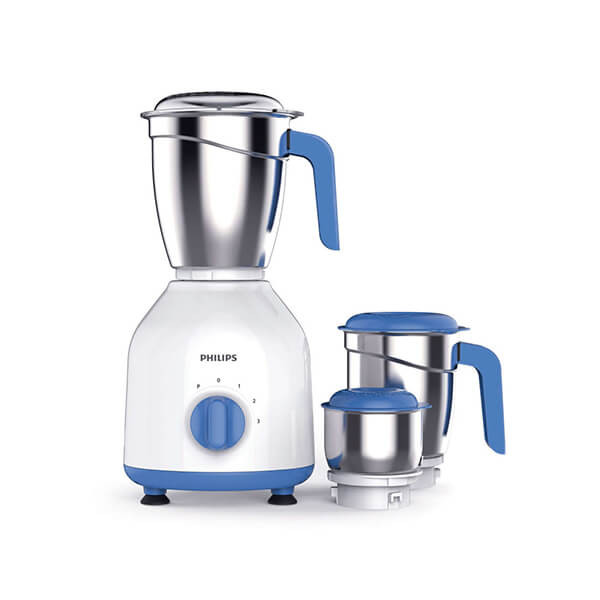
Philips Mixer Grinder HL7555/00
1x
$156.00
-
Saffina
1x
$28.00
-
Saffina
1x
$35.00
-
Saffina
1x
$35.00
-
Saffina
1x
$39.00














Subtotal
$9,062.07










How it Works
# Customer
1. Create a Customer Account & Verification
- Signup for free through our website
- Verify your email address
- Complete your account verification if you want to use the installment payment feature
2. Add Address Details
- Add your all address details for order shipment and payment
3. Provide your Bank & ID details
- Include bank necessary information for referral payments or payouts
4. Recharge the Wallet
- For using installment orders Hawiba will use your wallet amount
1. Account Registration
2. Account Verification
3. Account Setting
4. Place Order
5. Payouts
6. Installment Order
# Seller
Create your store in easy steps!
your e-commerce journey starts here
1. Create Seller Account & Verification
- Signup for free through our website
- Verify your email address
- Complete your account verification
2. Add Address Details
- Add all address details of your business
3. Provide your Bank & ID details
- Add in your ID and business-related details
- Include bank necessary information for payment
4. Subscribe to Hawiba Seller Plans
- Subscribe to any seller plan as per the requirements of your business
5. Add Products
- Add your products through your seller center
- Start selling as soon as your products go through quality control
1. Account Registration
2. Account Verification
3. Account Setting
4. Package Subscription
5. Add Product
6. Advertisement Requests
6. Payouts
# Lender
1. Create Lender Account & Verification
- Signup for free through our website
- Verify your email address
- Complete your account verification
2. Add Address Details
- Add your all address details, address is used for installment
orders near the lender's search
3. Provide your Bank & ID details
- Add in your ID and business-related details
- Include bank necessary information for payment
4. Recharge the Wallet
- For accepting installment orders Hawiba will use your wallet amount
1. Account Registration
2. Account Verification
3. Account Setting
4. Payouts
5. Installment Order

"Unleashing Global Commerce: Connecting Businesses, Empowering Dreams."
Contact Info
-
HAWIBA LTD,
Adnan Kahveci Mh. Kurtuluş Cd. C Blok No:5/C İç Kapı No:51 Beylikdüzü/İSTANBUL/TURKEY - +90 534 350 08 76
- info@hawiba.com