
19
Cart Items
-
 Baby Bathing Combo
1x
$30.00
Baby Bathing Combo
1x
$30.00
-
Class
1x
$850.00
-
Class
1x
$850.00
-
Class
1x
$850.00
-
Barcelona
1x
$1,129.76
-
Soft Köşe Koltuk Takımı
1x
$1,089.88
-
Soft Köşe Koltuk Takımı
1x
$1,089.88
-
Funda
1x
$1,207.55
-
Luna
1x
$1,400.00
-
Saffina
1x
$37.00
-
Saffina
2x
$35.00
-
Saffina
1x
$25.00
-
Saffina
1x
$70.00
-
Saffina
1x
$70.00
-
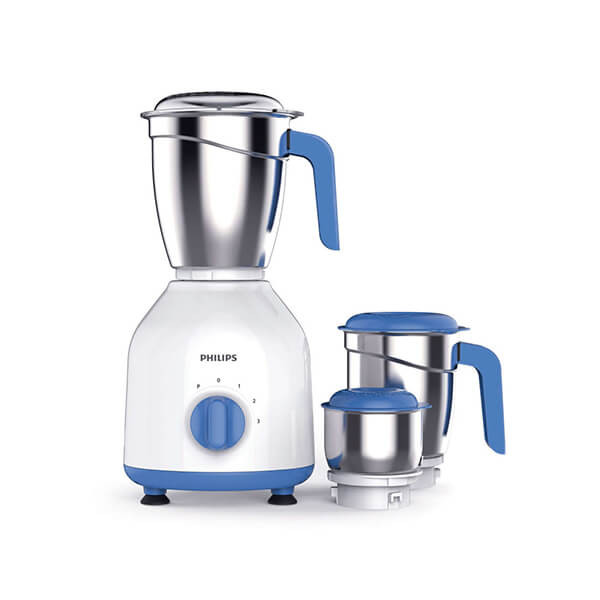
Philips Mixer Grinder HL7555/00
1x
$156.00
-
Saffina
1x
$28.00
-
Saffina
1x
$35.00
-
Saffina
1x
$35.00
-
Saffina
1x
$39.00














Subtotal
$9,062.07









Lender Installment Payments
Lender
This tutorial will teach you how to receive the installment orders and proceed to the offer agreements.
In the manage profile option update the address and most important the country and the state should be accurate because based on the country and the state your account will appear in the lenders list to the customer.
After you receive the order you will get an email as a notification.
Login to your account and click on the orders option to see the order details of orders received.
In the order details, you will see the details of the order additionally you can send text messages for an offer agreement with the customer.
The customer can reply to the text messages and after the customer-lender agreement, send the offer request having the amount, months of installment payments, and remarks.
After that, the customer will have to approve the offer to start the installment payment, the customer will proceed to the payment to complete the order submission for the order delivery
Remember that for the installment the Hawiba system will use the wallet amount so make sure that you have the amount in the wallet.
If you do not have the amount in the wallet kindly recharge the wallet and submit the offer for the installment order.
After accepting the offer your wallet will be credited with the charges of 40% as the initial installment amount from the order offer total amount and the remaining amount will be credited equally per month as per the offer agreement between the customer and the lender.
Recent Blogs

"Unleashing Global Commerce: Connecting Businesses, Empowering Dreams."
Contact Info
-
HAWIBA LTD,
Adnan Kahveci Mh. Kurtuluş Cd. C Blok No:5/C İç Kapı No:51 Beylikdüzü/İSTANBUL/TURKEY - +90 534 350 08 76
- info@hawiba.com