
19
Cart Items
-
 Baby Bathing Combo
1x
$30.00
Baby Bathing Combo
1x
$30.00
-
Class
1x
$850.00
-
Class
1x
$850.00
-
Class
1x
$850.00
-
Barcelona
1x
$1,129.76
-
Soft Köşe Koltuk Takımı
1x
$1,089.88
-
Soft Köşe Koltuk Takımı
1x
$1,089.88
-
Funda
1x
$1,207.55
-
Luna
1x
$1,400.00
-
Saffina
1x
$37.00
-
Saffina
2x
$35.00
-
Saffina
1x
$25.00
-
Saffina
1x
$70.00
-
Saffina
1x
$70.00
-
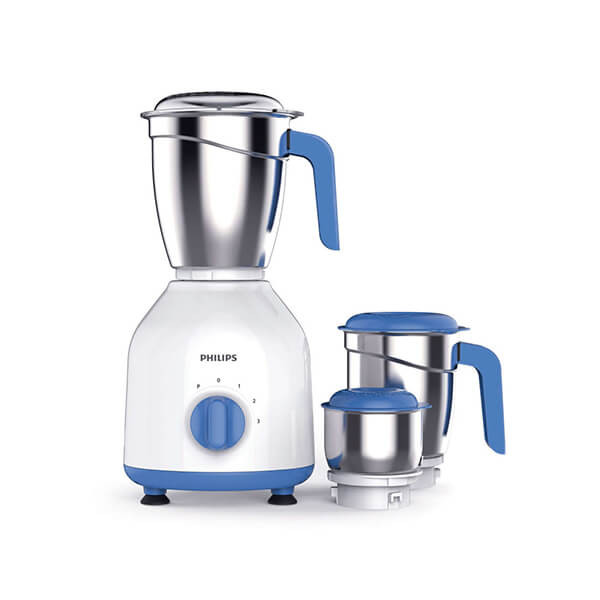
Philips Mixer Grinder HL7555/00
1x
$156.00
-
Saffina
1x
$28.00
-
Saffina
1x
$35.00
-
Saffina
1x
$35.00
-
Saffina
1x
$39.00













Subtotal
$9,062.07









Customer Order Placement
Customer
This tutorial will teach you how to place the order.
Click on any product.
In the product details, you will be able to see all possible options, the shipping details, and the variations of the product which you choose accordingly.
Click on the add to cart or buy now button to proceed further.
In the cart tab, the products are listed with the quantities and total amount details, you can perform quantity updation and also can remove the product.
In the shipping info tab, you will find all the addresses added to your profile, you can also add new ones and can update the existing ones.
In the delivery info tab, you will find the delivery and shipping details, you can choose the ship to and the delivery option as well.
In the payment tab, you will find the total order summary with the options of payment selection and additional info you want to send to the seller also if you have coupons you can apply them.
Click on the complete order button to place the order and redirect to the payment, proceed with the payment to complete the order.
That's all for the order placement.
Recent Blogs

"Unleashing Global Commerce: Connecting Businesses, Empowering Dreams."
Contact Info
-
HAWIBA LTD,
Adnan Kahveci Mh. Kurtuluş Cd. C Blok No:5/C İç Kapı No:51 Beylikdüzü/İSTANBUL/TURKEY - +90 534 350 08 76
- info@hawiba.com